


10 Best LinkedIn Content Creation Tools
Creating great content for LinkedIn at scale involves much more than just writing a few lines of text and including a link. The challenge for businesses is often turning expert insight into content that is relevant, unique, personalised and worth engaging with. That means identifying the right topics, capturing expert knowledge, creating content efficiently, producing supporting assets, publishing consistently and learning from the results.
That’s why Accuracast’s LinkedIn marketing experts put together a list of the top tools marketers should consider when creating professional content. Not every LinkedIn content creation tool in this list does the same job. Some help uncover the conversations your organisation should be part of. Others help employees and subject-matter experts articulate what they know. Some specialise in visual or video production, while others manage publishing, social listening or measurement.
The right combination can make it considerably easier to turn the knowledge inside your organisation into a consistently growing LinkedIn presence.
Top 10 LinkedIn Content Creation Tools
| Rank | Tool | Best for |
|---|---|---|
| 1 | Creator by Accuracast | Activating your people’s knowledge on LinkedIn |
| 2 | Microsoft Copilot | Curating organisational knowledge |
| 3 | Adobe Express | Turning ideas into branded creative |
| 4 | Semrush | Discovering topics with existing search demand |
| 5 | Sprout Social | Managing social publishing |
| 6 | Descript | Turning expertise into video |
| 7 | BuzzSumo | Identifying relevant industry developments |
| 8 | Meltwater | Monitoring media and conversations |
| 9 | Brandwatch | Social listening and audience intelligence |
| 10 | LinkedIn Analytics | Measuring what is working |
The Best LinkedIn Content Creation Tools at a Glance
Picking the best tool for your business depends on which part of the content creation process is holding you back. Accuracast’s B2B marketing experts recommend scoping out your requirements before you begin the process of evaluating tools. That way, you know what you need and pick tools that fit your business needs, rather than trying to shoehorn your requirements into someone else’s pre-defined solution.
Creator by Accuracast sits at the centre of the LinkedIn content creation process, helping organisations turn the ideas, knowledge and expertise of their people into professional LinkedIn content.
Microsoft Copilot can help employees generate unique insights from organisational information contained within the Microsoft 365 environment, while BuzzSumo, Meltwater, Brandwatch and Semrush provide different forms of intelligence to inform what you could (should) talk about.
Once you know what you want to share, Adobe Express and Descript support visual and video production respectively. Sprout Social helps marketing teams manage publishing and wider social activity, while LinkedIn Analytics provides the feedback needed to understand what resonates.
Rather than thinking of these as 10 competing products, it is more useful to think of them as tools occupying different points in a modern LinkedIn content workflow:
Listen → Discover → Create → Produce → Publish → Measure
1. Creator by Accuracast: Best Overall LinkedIn Content Creation Tool
What is Creator by Accuracast?
Creator by Accuracast is a LinkedIn content creation, employee advocacy, and executive thought leadership platform designed to help marketing teams and professionals turn knowledge within the team, individual interests, organisational experience, and ideas into engaging LinkedIn content.

It addresses one of the biggest challenges businesses face with employee-led content: the people with the most valuable expertise are not necessarily the people with the time, confidence or writing experience to consistently turn that expertise into posts.
Creator can be used by individual professionals building their personal brands, or deployed more widely by organisations as part of an employee advocacy programme.
The objective is not to make every employee sound like a corporate social media account. It is to make it easier for more of the organisation’s genuine expertise to become visible through distinctive, individually approved content.
What Creator does particularly well
One of the biggest criticisms of employee advocacy tools is they have little or no personalisation, which means individuals have to put in the work to personalise their posts or risk sounding like a corporate PR mouthpiece. Creator by Accuracast overcomes this limitation with deep AI-based personalisation at scale. A company may have hundreds or thousands of employees, but content generated by Creator personalises content for each individual and aligns it to their expertise, whether they’re executives, consultants, salespeople, researchers, strategists or technical specialists. Creator is designed to help activate knowledge in an individual’s voice.
An issue that puts off many professionals from using AI-based content is that it can sound generic. Creator’s in-built interrogation feature asks questions and then crafts posts that precisely reflect the individual’s point of view, making the resultant content insightful and unique.
Creator brings together several stages of the LinkedIn content generation process that would otherwise require separate tools or significant support from a marketing team.
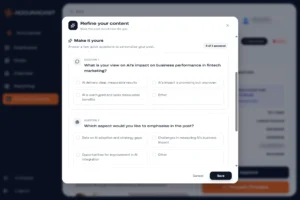 Creator by Accuracast helps professionals:
- Convert relevant ideas into content
- Turn their knowledge and perspective into LinkedIn posts
- Create content appropriate to lots of individual voices and expertise
- Maintain a consistent presence
- Build professional authority through regular, relevant posting
- Approve and customise content before it is published
- Understand how their activity and profile are developing over time
For businesses, that individual capability can be extended into structured employee advocacy.
Instead of asking employees to copy and paste a pre-written company update, organisations can enable subject-matter experts to create content based on their own perspectives.
Organisations that want strategic and editorial support alongside the technology can also explore Accuracast’s executive personal branding and thought leadership marketing services.
Who is Creator best for?
The earlier versions of the tool were built specifically for Accuracast’s large enterprise clients. The success of the programme for those enterprise clients prompted requests to roll it out to more employees, but the original version of the tool wasn’t designed for scale. By tapping into the power of AI, Creator can now be scaled efficiently, making it available to a much wider audience. This includes:
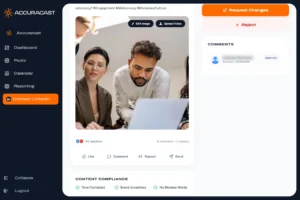
Individuals and executives
Founders, CEOs, senior leaders, consultants and other professionals who want to build their profile and authority on LinkedIn without spending hours every week deciding what to write. Since the earliest version of Creator, we’ve found that senior executives are often connected to peers in their target client organisations, making engagement on their LinkedIn posts very valuable.
Sales and business development teams
Professionals who want to remain visible to prospects, demonstrate expertise and build trust beyond direct sales outreach.
Marketing and communications teams
Teams that want to extend corporate thought leadership through the individual voices of employees and subject-matter experts.
Employee advocacy programmes
Larger organisations that want employees to share thought leadership content from the brand on LinkedIn without simply distributing identical, pre-written corporate posts.
Professional services firms
Businesses whose value and expertise reside in their people, including consultancies, agencies, financial services firms, technology businesses and other knowledge-led organisations.
The verdict
There are excellent specialist tools for researching topics, designing creative, producing video, managing publishing and measuring social performance. Creator occupies a different position in the stack. If the core challenge is turning the expertise of your people into consistently good LinkedIn content, Creator is our top choice.
Discover Creator by Accuracast
2. Microsoft Copilot: Best for Activating Organisational Knowledge
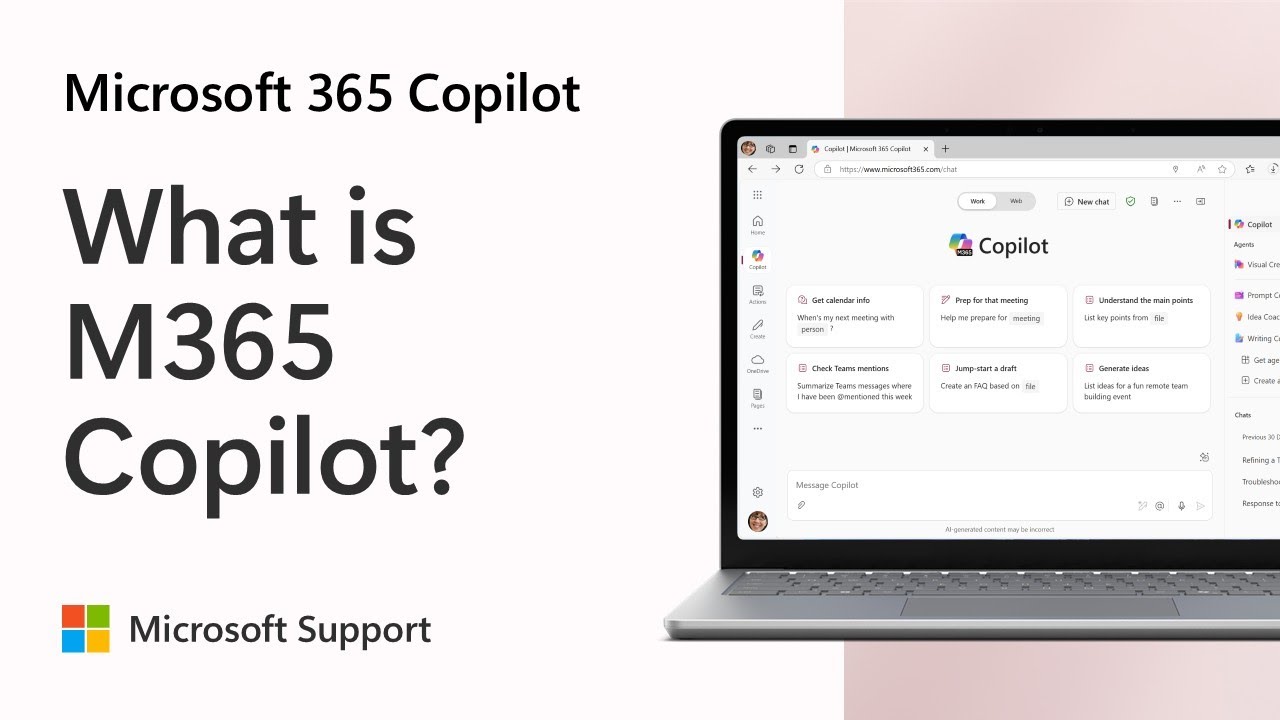
Businesses already working within Microsoft 365 get access to Microsoft Copilot. The underlying AI for Copilot was built by OpenAI, the company that built ChatGPT. Today, the tool uses OpenAI models by default, but can also use Anthropic’s Claude or Microsoft’s own MAI model. The tool’s biggest advantage is that it sits within the Office 365 environment, allowing employees with a paid subscription to work with organisational information within their SharePoint and Office productivity tools.
Copilot’s paid version is integrated into Microsoft applications including Word, Excel, PowerPoint, Outlook and Teams. This means users can generate LinkedIn post content based on any work context, whether it’s information received in an email or data stored in an Excel sheet, subject to the organisation’s permissions and configuration. Accuracast’s experts strongly recommend consulting marketing and brand safety guidelines before sharing any potentially sensitive information.
Its role is not specifically to run an employee advocacy programme or manage an individual’s LinkedIn presence. Instead, it can help people identify potential post topics, summarise information and analyse raw data, from which worthwhile content can emerge.
Best for: Large organisations that want to share existing internal knowledge within the employee pool and beyond.
3. Adobe Express: Best for Turning Ideas Into Branded Creative
Accuracast’s LinkedIn marketing experts have found visual posting trends on LinkedIn change frequently, as the algorithm changes the post types it favours. However, we consistently see diagrams, data visualisations, infographics, presentation-style documents and other visual formats get more screen real-estate on LinkedIn, are more attractive, and can be used to make complex topics easier to understand. Using different visual formats also gives businesses greater variety in their social output.
Adobe Express gives individuals and organisations a way to create branded social assets without every piece of content needing to enter a full-scale design workflow. The interface is very similar to other graphic design platforms like Canva, Pixlr and CapCut.
Creative Cloud users get free access to the premium features of Adobe Express. But even users on the free tier can pick from over 100,000 templates and 1 million royalty-free Adobe Stock photos to produce graphics, videos and animations sized for a LinkedIn post. The Adobe Express agent for Microsoft Copilot also allows users to develop visual content from within a Microsoft 365 workflow. It can be used to generate single images, multi-image collages, short video, animations, carousels and even PDF documents, to maximise use of the available post types on LinkedIn.
An expert might use Adobe Express to create more striking visual templates that can be used with the visual editor within Creator by Accuracast. Or one may use Copilot to articulate the thinking behind a post, and then use Adobe Express to create a branded visual.
Best for: Businesses that need to turn LinkedIn ideas into polished, consistently branded visual assets.
4. Semrush: Best for Discovering Topics With Existing Search Demand
While search demand doesn’t always equate to interest on LinkedIn, Accuracast’s experts use the questions people search for as a useful signal about what audiences care about. Semrush can play a useful role in the research stage of LinkedIn content creation.
Search and competitor research can reveal:
- Recurring customer questions
- Subjects attracting quantifiable interest
- Themes competitors are covering
- Specific problems audiences want answered
- Opportunities where your organisation possesses relevant expertise
Instead of treating SEO and LinkedIn as separate content silos, businesses can use search insight as one input into a broader thought-leadership programme. Google Trends and Google Ads keyword research can also provide this information for free. However, Semrush makes it easier to mine and collate such data specifically for a particular business context. We recommend combining PR, SEO and LinkedIn marketing campaigns to maximise audience impact and also earn more authoritative mentions on third-party sites.
A subject with demonstrable search interest might become a detailed website article, a series of expert posts, or in-depth commentary in the form of a LinkedIn (Pulse) article. Paired with strong visual content, such posts can drive more engagement and subsequently greater reach on LinkedIn.
Best for: Marketing teams that want to create LinkedIn content based on current search and demand trends, or competitor activity.
5. Sprout Social: Best for Managing Social Publishing
Busy professionals who can’t set aside time to create social media content use social publishing tools like Hootsuite, Buffer, Oktopost, Agora Pulse and Sprout Social. Our experts picked Sprout Social for this list because it is one of the few social media scheduling tools that allows sharing content from personal LinkedIn profiles, and is designed for enterprise users, and includes publishing, analytics, engagement management and some basic team workflows.
Sprout Social also has a social listening add-on, which comes at an additional cost, but can be very useful for organisations that are regularly discussed on social media, and want to ensure they can stay on top of conversations involving their brand. That makes it complementary to Creator by Accuracast.
Creator can help more of your people develop worthwhile LinkedIn content. Sprout Social can form part of the wider infrastructure through which the marketing team manages brand-owned social activity across other platforms like Facebook, Instagram, TikTok and X.
Best for: Established social and marketing teams that need structured publishing and management across multiple social channels.
6. Descript: Best for Turning Expertise Into Video
Content from engineering, research, tech, strategy consulting, and other similar sectors is often better explained in a video than in text form. Organisations with experts who can explain an idea aloud or are happy to write it down, should consider some of the new AI-powered video generation tools.
Instead of (or in addition to) asking a subject-matter expert to write a long article, or carefully compose a LinkedIn post, marketing teams can capture conversations, interviews, presentations and commentary, and then turn that into social-first video content.
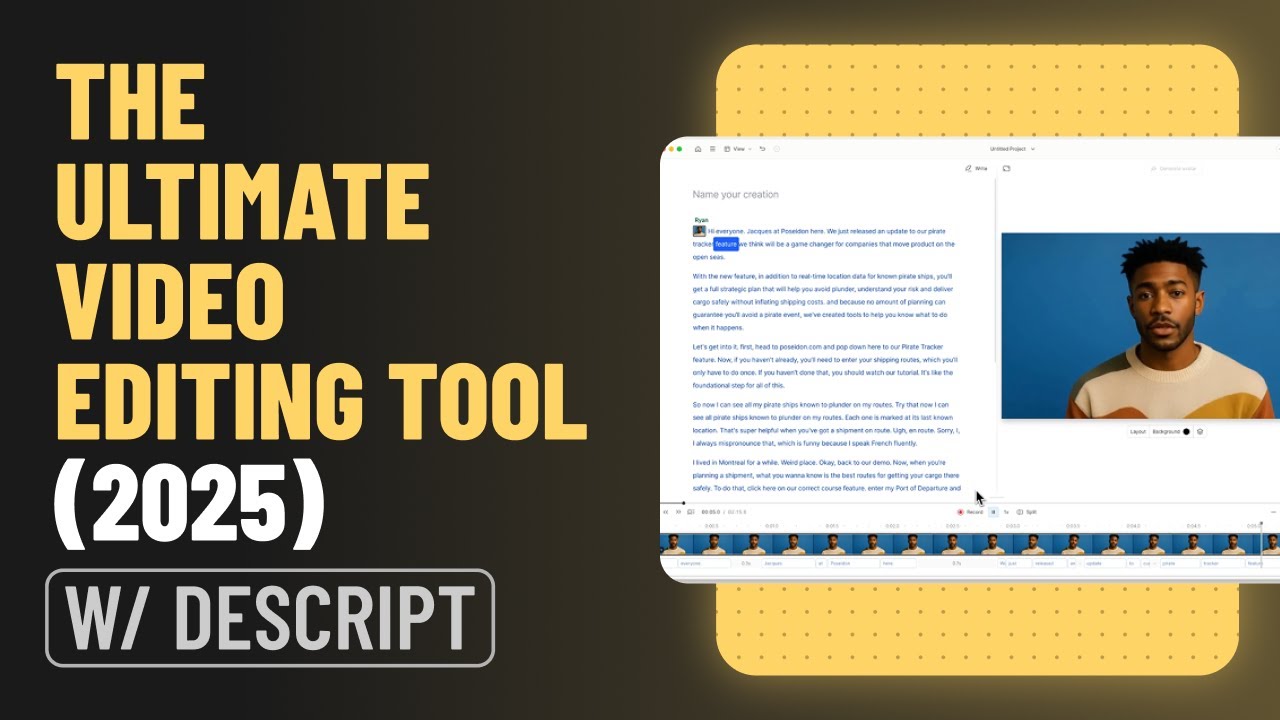
Descript supports audio and video creation through a text-based editing environment, making spoken or written content easier for marketing teams to work with when generating LinkedIn video assets. The tool enables text-based editing, sound quality improvement, and video effect refinement, to produce LinkedIn-quality video from raw footage that may be captured on a Zoom call or a mobile-recorded interview at a conference.
One expert interview could potentially generate:
- A longer thought-leadership video
- Several short LinkedIn clips
- Written posts exploring individual ideas
- Quotations and supporting graphics
- A long-form article that helps SEO/GEO
- Follow-up commentary from other experts
Long-form LinkedIn content is often cited in AI answers. Our GEO agency team recommend using tools like Descript to enhance website content by providing video alongside articles.
Best for: Companies with experts who communicate naturally but are too busy or unwilling to spend time on organised video shoots.
7. BuzzSumo: Best for Identifying Relevant Industry News
A content problem most marketers can relate to is simply what should we talk about? Your organisation’s own knowledge should be a major source of content, but good thought leadership also requires awareness of what is changing in your market.
Accuracast’s social media and thought leadership marketing experts recommend a 1:4 ratio at most: 1 branded content piece in every 4 posts shared on LinkedIn. We’ve found when individuals share branded content with higher frequency, it can negatively impact audience engagement, though this ratio can be increased for people who post infrequently. BuzzSumo can provide an ongoing stream of industry information that helps professionals identify relevant developments worth talking about.
The idea is not simply to share articles written by somebody else. It is to use external developments as prompts for your own expertise. A well-rounded thought leader can use a relevant industry story to add their own insights, such as:
- What does this development mean for our customers?
- Is the conventional interpretation correct?
- What are people missing?
- Have we seen evidence of this ourselves?
- What should businesses do in response?
That transition from news to interpretation to original perspective is where external content discovery becomes useful for LinkedIn thought leadership. It also helps your leaders come across as all-round experts worth following.
Best for: Professionals and content teams that want a consistent stream of industry news to interpret and respond to.
8. Meltwater: Best for Monitoring Media and Conversations

For larger organisations, content opportunities do not arise only from keyword research or a predefined editorial calendar. They emerge from news cycles, media coverage, competitor activity, emerging narratives and conversations happening around an industry.
Meltwater can feed these signals into the content process through media monitoring, social listening and related intelligence capabilities. Cision and Muck Rack are also good alternatives.
For communications and marketing teams in particular, tools like Meltwater can help move LinkedIn content from being entirely planned and campaign-led towards becoming more responsive to what the market is discussing.
The value extends beyond the monitoring itself. It lies in how your organisation acts on the insights and what your leaders or experts communicate about them.
Best for: Larger marketing and communications teams that want media intelligence to inform timely LinkedIn commentary.
9. Brandwatch: Best for Social Listening and Audience Intelligence
If Meltwater helps businesses monitor wider media and online conversations, Brandwatch provides additional input into the process through consumer and social intelligence.
Social listening can identify conversations, themes, perceptions and emerging issues that are not necessarily obvious from conventional editorial planning. LinkedIn content can then be created to join conversations and address questions such as:
- What is our audience increasingly talking about?
- What language do people use when discussing an issue?
- Which subjects are generating meaningful conversation?
- Are new themes beginning to emerge?
- Where does our organisation have expertise that could add something useful?
Best for: Organisations that want audience conversations and social intelligence to influence their content strategy.
10. LinkedIn Analytics: Best for Measuring What Is Working
Once you create LinkedIn content, it’s equally important to engage with comments and reshares, and measure the impact. LinkedIn Analytics provides an important feedback loop to help users understand how content performs and how an audience is developing.
Businesses should, however, be careful not to define success purely through headline impression or engagement figures. More useful metrics include:
- Are relevant decision-makers following your employees and experts?
- Does the content reach your target audience?
- Which subject-matter experts are growing their audience?
- Which topics consistently perform well?
- What types of posts attract engagement from the people you want to influence?
- Is profile visibility increasing?
- Does LinkedIn activity contribute to meaningful conversations and opportunities?
The objective of any thought leadership marketing or organic social media activity is not merely more awareness and engagement. Today, marketing teams are increasingly under pressure to drive commercial outcomes for the organisation and its people. This starts with measuring whether they are becoming more visible and authoritative among audiences that matter.
Best for: Closing the feedback loop between LinkedIn content creation and performance.
Which LinkedIn Content Creation Tool Is Best for You?
If you want one tool specifically designed around consistent LinkedIn content creation: Creator by Accuracast
Creator is particularly relevant when the objective is to turn professional expertise into consistent individual content or build a wider employee advocacy programme.
If you need to unlock knowledge already inside your organisation: Microsoft Copilot
Useful for employees working with internal knowledge, documents, presentations and other organisational information that could provide the raw material for content.
If you are struggling to come up with relevant ideas: Creator + BuzzSumo + Semrush
Creator helps develop content around an individual’s knowledge and interests, BuzzSumo surfaces industry developments, and Semrush introduces evidence of what audiences are actively searching for, allowing content shared to be more relevant and industry-focused.
If your posts need stronger visuals: Adobe Express + Descript
Useful to turn strong ideas into branded visual executions, rather than allowing the creative format to dictate the idea.
If consistency of publishing on multiple social networks is the main problem: Sprout Social
Particularly appropriate where content publishing forms part of a larger, multi-channel social operation involving multiple channels, people and workflows.
If you want to create more video: Descript
Useful for extracting and repositioning content from interviews, conversations, presentations and other sources of spoken expertise.
If you need to understand what your market is talking about: Meltwater + Brandwatch
Use media and social intelligence to identify developing conversations where your organisation or individual experts have something worthwhile to contribute.
If you need to understand what is working: LinkedIn Analytics
Use performance data to refine topics, formats and approaches rather than simply reporting vanity metrics.
Do You Need One LinkedIn Tool or Several?
Probably several.
The tools in this list address different challenges, and the ideal combination depends on the sophistication of the organisation and its LinkedIn programme.
Individual professional: Creator + Adobe Express
Creation → occasional branded visual assets
An executive, consultant or other senior professional primarily needs a sustainable way to turn expertise into content. Visual production becomes a supporting capability rather than the centre of the process.
Thought-leadership focused: BuzzSumo + Creator + Adobe Express
Industry trend discovery → original perspective → presentation
BuzzSumo identifies developments worth discussing. Creator helps the professional articulate what they know and think. Adobe Express provides visual execution where appropriate. Businesses that require additional strategic and editorial support can combine these tools with a structured thought-leadership and executive influence programme.
Larger B2B content programme: Brandwatch or Meltwater + BuzzSumo or Semrush + Creator + Adobe Express or Descript + Sprout Social + LinkedIn Analytics
Listen → Discover → Create → Produce → Publish → Measure
Instead of treating LinkedIn as another channel for distributing company marketing material, this approach creates a system for discovering relevant conversations and activating the brand across channels as well as the expertise of the people best qualified to contribute valuable insight.
What Should You Look for in a LinkedIn Content Creation Tool?
The best technology is the technology that solves the real constraint in your content programme.
Does it generate ideas or merely generate words?
The ability to produce hundreds of words in seconds is not especially useful if those words do not say anything distinctive. Look for tools that help surface something worth saying.
Can it capture genuine expertise?
For B2B organisations in particular, some of the biggest content assets are the knowledge and experience of their people. Tools should make that expertise easier to access rather than replacing it with generic content.
Can individuals retain their own voices?
Employee-led content works best when it genuinely feels employee-led. If every executive, salesperson and consultant suddenly sounds like the same marketing copywriter, the organisation loses much of the value of putting people at the centre of the strategy.
Does it support governance without removing authenticity?
Larger organisations and those operating in highly regulated sectors like Finance and Healthcare, may need approval workflows, approved sources, brand controls and oversight from marketing, legal or compliance teams. Our experience has found a lot of social media publishing and employee advocacy tools may have one or two levels of approval built into workflows, but that is often not enough in regulated sectors. We’ve worked with organisations where every post needed to go through workflows involving Marketing → PR or comms → Brand safety → Compliance → Legal, before being finally approved by the individual for sharing on LinkedIn. The strongest systems balance these safeguards with the individual’s ability to edit, approve and personalise what they publish.
Does it fit existing marketing workflows?
In larger organisations, content rarely has a single owner. Consider how a tool fits alongside research, brand, communications, social media, content production, employee advocacy and analytics.
Can it scale beyond one enthusiastic user?
An individual executive posting regularly is useful. Dozens or hundreds of knowledgeable employees becoming more visible can become an organisational capability. If employee advocacy is part of the ambition, consider how well the technology scales across users, teams, functions and markets.
Does it solve your specific bottleneck?
If you have excellent content but poor distribution, buying another writing platform will probably not solve the problem. Similarly, if employees never know what to say, another publishing dashboard is unlikely to provide the answer. Identify whether the primary constraint is listening, discovery, creation, production, publishing or measurement, and then invest accordingly.
Can you measure meaningful outcomes?
More posts are not the objective. Look for evidence that activity is contributing to greater visibility, appropriate audience growth, professional authority, engagement from relevant people and, ultimately, meaningful business outcomes.
Summary: Spend Less Time Figuring Out What to Post, More Time Sharing What You Know
The strongest LinkedIn content does not start with an algorithm hack or a generic AI prompt. It starts with something worth sharing. For businesses, much of that material already exists. It can be found in the experiences of salespeople, the perspectives of leaders, the knowledge of subject-matter experts and the work teams do with customers every day.
Technology can help uncover the right topics, transform knowledge into content, produce stronger creative, coordinate publishing and measure the results. But the real opportunity is to make more of your organisation’s expertise visible.
Creator by Accuracast helps professionals turn what they know into engaging LinkedIn content, making it easier to build individual authority and scale employee advocacy across an organisation.
Discover Creator by Accuracast
For a wider LinkedIn strategy covering organic content, advertising, lead generation, employer branding and employee advocacy, explore Accuracast’s LinkedIn marketing services.
Our recommendation for a 90-day pilot
We recommend businesses who want to start tapping into employee networks for growth start with a 90-day pilot involving a small group of senior leaders, subject-matter experts or client-facing professionals. Use Creator by Accuracast to build and establish a steady publishing rhythm, while keeping marketing in charge of governance. Each participant will retain final approval of their content. Use Adobe Express to design templates for branded social content, if you don’t already have these. If your PR team already use Brandwatch, Meltwater, or a similar tool, you can make information from this available, but it isn’t required.
Success metrics for the pilot should be determined at the start, and tracked weekly throughout the duration of the pilot. Measure more than just post impressions – track participation, profile growth, reach and engagement from key audiences. Then use these results to determine whether to expand the programme across additional teams, departments or geographical markets.
About the Authors

Farhad is the Group CEO of Accuracast. With over 20 years of experience in digital, Farhad is one of the leading technical marketing experts in the world. His specialities include digital strategy, international business, product marketing, measurement, marketing with data, technical SEO & GEO, and growth analytics.

Ruben is a digital marketing consultant at Accuracast, in charge of developing and executing effective digital marketing strategies. His specialities include digital strategy, paid media and programmatic for B2B and financial services brands.

Avon drives scalable growth at Accuracast by bridging the gap between data-driven strategy and performance-led acquisition. Specialising in the digital-first era, he transforms complex market trends and raw data into actionable marketing insights that keep brands ahead of the curve.